
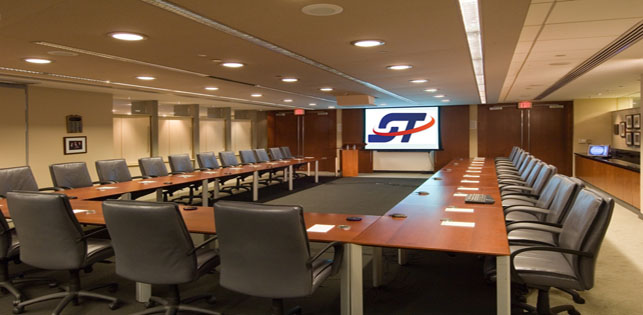
Teleconferencing should help people communicate across offices, cities, and countries without making participants think about the technology connecting them. Presenters should be able to speak naturally, remote guests should be able to participate without disruptive echoes, and every attendee should be able to hear and see the information being presented.
Achieving that experience often requires more than placing a laptop on a conference table and opening a meeting application. Executive meetings, training programs, panel discussions, shareholder presentations, conferences, and hybrid events may require professional microphones, cameras, displays, audio processing, presentation switching, internet coordination, recording systems, and technicians who can actively manage the production.
Show Technology, Inc. provides teleconferencing equipment rental and technical production support for organizations that need to connect in-person and remote participants. Our team can coordinate sound, video, presentation content, remote speakers, recording, platform integration, and on-site operation as one complete communication system.
What Is Professional Teleconferencing?
Teleconferencing connects participants who are not physically located in the same room. Depending on the program, participants may communicate through audio, video, shared presentations, live chat, moderated questions, polling, screen sharing, or collaborative applications.
A small internal call involving three or four people may work adequately with ordinary computers and headsets. A professional teleconference becomes more appropriate when the meeting includes an audience, multiple presenters, confidential discussions, remote executives, important presentations, audience questions, recorded content, or several locations.
Professional teleconferencing is not defined by a particular platform. Zoom, Microsoft Teams, Webex, Google Meet, and other systems are only part of the production. The complete technical environment must also capture the people in the room, send clean audio to remote participants, return remote speakers to the venue, display shared content, and give technicians the control needed to resolve problems without interrupting the meeting.
For events serving both remote and in-person audiences, teleconferencing can be incorporated into a larger hybrid and virtual event solution.
When Professional Teleconferencing Support Is Worth Considering
Organizations should consider professional production support when a technical interruption could affect an important business outcome, damage the audience’s confidence, or prevent participants from receiving essential information.
Common applications include:
- Executive and board meetings
- Corporate town halls
- Investor and shareholder presentations
- Employee training and professional development
- Remote panel discussions
- Multi-office company meetings
- Medical, legal, educational, and nonprofit programs
- Sales meetings and product demonstrations
- Government and community meetings
- Association conferences and conventions
- Remote keynote presentations
- Interviews, depositions, and moderated discussions
The technical requirements should be based on the actual meeting format rather than the number of attendees alone. A ten-person executive meeting involving confidential remote participants may need more careful planning than a larger presentation with limited audience interaction.
Teleconferencing Equipment and Production Services
Every teleconference requires a system designed around the room, platform, participants, content, and communication objectives. A straightforward meeting may need one camera, several tabletop microphones, a display, and a dedicated conference computer. A large program may require multiple cameras, digital audio mixing, presentation switching, recording, remote panelists, audience microphones, and large-format video displays.
A professional teleconferencing system may include:
- Professional video cameras and camera support
- Wireless handheld, lavalier, headset, podium, or tabletop microphones
- Digital audio mixers and signal processors
- Room loudspeakers and distributed sound systems
- Dedicated teleconferencing and presentation computers
- Video switchers and signal-distribution equipment
- Projectors, projection screens, monitors, or televisions
- Presenter confidence monitors
- Remote-speaker return video and audio
- Presentation and video-playback systems
- Event recording and presentation capture
- Internet and network coordination
- Backup computers, cables, converters, and signal paths
- On-site audio, video, and conferencing technicians
Teleconferencing can also be combined with broader audio-visual production services when the event requires staging, lighting, large displays, multiple breakout rooms, or coordinated technical operation.
The Most Important Part of a Teleconference: Clear Audio
Participants may tolerate a less-than-perfect camera angle, but they will quickly disengage when speech is distorted, inconsistent, delayed, or difficult to understand. Audio must therefore be designed for two different listening environments: the people inside the venue and the participants joining remotely.
Microphone Selection and Placement
Microphones should match the way people will communicate. A presenter moving around a stage may need a wireless lavalier or headset microphone. Panelists may use individual tabletop microphones. Audience participation may require roaming handheld microphones or a designated question station.
Relying on one laptop microphone to capture an entire conference room can produce distant, reverberant sound. Multiple properly positioned microphones usually provide better intelligibility, but they must be mixed and managed to prevent unnecessary room noise.
Echo, Feedback, and Mix-Minus Routing
Echo occurs when the remote participant’s voice plays through room speakers, re-enters an open microphone, and is sent back to the remote platform. The remote speaker may then hear their own voice after a delay. Feedback can occur when microphones and loudspeakers interact at excessive levels.
A professional conferencing system uses deliberate audio routing, microphone placement, speaker positioning, acoustic-echo control, and digital signal processing. A mix-minus feed can send the correct combination of microphones, videos, and presentation audio to remote participants while excluding their own returning voices.
Separate In-Room and Remote Audio Mixes
The sound required inside a ballroom or meeting room is not always identical to the sound required by online participants. The remote audience may need a dedicated mix containing presenters, panelists, videos, audience questions, and appropriate room ambience. An audio technician can balance these sources and make real-time adjustments as the program changes.
Organizations planning sound-intensive events can learn more about Show Technology’s event audio production services.
Camera and Video Planning for Remote Participants
Remote participants should be able to follow the meeting without struggling to determine who is speaking or what is being discussed. Camera placement should reflect the room layout, speaker positions, demonstrations, presentation content, and level of audience interaction.
A multi-camera setup may provide:
- A wide view of the stage or conference table
- A close view of the active presenter
- A dedicated panel-discussion angle
- An audience view for questions and reactions
- A close-up view of products, documents, or demonstrations
A video operator can switch between these sources according to the agenda. Lower-thirds, speaker names, logos, holding slides, schedules, and event branding may also be incorporated where appropriate.
Send Presentations Directly into the Conference
Pointing a camera at a projection screen is rarely the best way to share slides with remote participants. The image may appear distorted, washed out, obstructed, or difficult to read.
A better approach sends the presentation directly into the video system while separately capturing the presenter. The operator can display the slides, the presenter, or a composed layout containing both. Videos and other media should also be routed directly into the conferencing system so remote viewers receive clear images and synchronized audio.
Programs that need large, bright displays for the in-person audience can incorporate LED walls and professional video displays.
Preparing Remote Speakers Before the Event
Remote presenters introduce variables that cannot be controlled from the venue. Their internet connection, microphone, camera, lighting, background, device settings, platform permissions, and familiarity with the meeting format can all affect the live program.
Every important remote presenter should complete a technical check before the event. The review should verify:
- Internet stability and the preferred connection method
- Computer power and software updates
- Camera position and image quality
- Microphone selection and speech clarity
- Lighting and background appearance
- Presentation files and screen-sharing permissions
- Speaker name, title, and pronunciation
- Scheduled connection and rehearsal times
- Communication with the producer during the program
- A backup telephone number or alternate connection method
Remote speakers should also understand how they will enter the meeting, when they should remain muted, who will introduce them, how questions will be handled, and what to do if their primary connection fails.
Internet and Network Planning
A reliable teleconference should not depend automatically on public or guest Wi-Fi. The production team should confirm the venue’s internet service, available bandwidth, wired connection options, login requirements, firewalls, security policies, and whether bandwidth is shared with attendees or other events.
Important questions include:
- Is a dedicated wired connection available?
- Can bandwidth be reserved for the production?
- Will the venue provide a public IP address when required?
- Are specific ports, applications, or devices blocked?
- Who provides network support during the event?
- Is a secondary internet path available?
A backup connection does not need to duplicate every feature of the primary service, but it should protect the most important communication functions. For a critical meeting, the contingency plan may also include backup computers, spare microphones, duplicate presentation files, local recordings, and alternate telephone access.
Recording and Reusing Teleconference Content
Recording can extend the usefulness of a teleconference beyond the live program. Organizations may use recorded content for employee training, internal communications, compliance documentation, marketing, stakeholder updates, or on-demand viewing.
The recording plan should be established before the event. The production team needs to know whether the client requires the complete program, isolated presentation feeds, individual camera recordings, separate audio files, edited highlights, or downloadable files for an internal platform.
Presenters and participants should also be informed when a meeting is being recorded, and the organization should determine whether confidential discussions, breaks, or private audience information must be excluded. Learn more about conference video playback and recording.
A Practical Teleconferencing Planning Checklist
Providing complete information early allows the production team to design an accurate system and identify potential problems before equipment arrives. Event planners should be prepared to provide:
- Event date, location, and operating schedule
- Room dimensions and seating layout
- Expected in-person and remote attendance
- Selected conferencing or webinar platform
- Number of local and remote presenters
- Presentation, video, and audio requirements
- Audience question-and-answer format
- Recording and file-delivery requirements
- Available internet service and venue contacts
- Setup, testing, and rehearsal times
- Security, privacy, or access-control requirements
- Branding, captioning, interpretation, or accessibility needs
Show Technology’s event consultation and technical-support services can help planners evaluate these requirements, coordinate with venues, and develop a practical production plan.
Why On-Site Technical Support Matters
Presenters should not be responsible for admitting attendees, changing camera views, locating presentation files, balancing microphones, monitoring remote speakers, and diagnosing connection problems while attempting to lead the meeting.
An on-site technician can monitor audio levels, operate cameras, switch presentation sources, communicate with remote guests, manage recordings, and respond when the agenda changes. For complex events, an audio engineer, video operator, conference-platform operator, and technical director may divide these responsibilities.
Technical labor should therefore be considered part of the system rather than an optional accessory. The more important, interactive, or technically complex the program becomes, the greater the need for active professional operation.
Teleconferencing for Corporate Meetings and Conferences
Corporate programs often require discretion, dependable presentation control, clear speech, and a professional appearance that reflects the organization’s standards. Show Technology supports executive presentations, company meetings, training sessions, panels, and other corporate event AV productions.
For conferences, teleconferencing may connect remote keynote speakers, livestream a general session, create two-way communication between locations, or extend selected breakout sessions to online participants. Explore additional meeting and conference AV services.
Frequently Asked Questions About Teleconferencing
Can Show Technology work with Zoom, Microsoft Teams, Webex, or Google Meet?
Yes. The selected platform can be integrated with professional cameras, microphones, mixers, presentation systems, displays, and recording equipment. Platform selection should be based on the organization’s security requirements, participant count, interaction needs, and existing accounts.
Can remote presenters speak to an in-person audience?
Yes. Remote speakers can be displayed and heard inside the venue while receiving the appropriate camera view, presentation content, and audience audio from the room. Careful audio routing is required to prevent echo.
Can a teleconference be recorded?
Yes. Depending on the project, recording may include the complete program, presentation content, switched camera output, individual camera feeds, or isolated audio tracks. Recording permissions and file-delivery expectations should be confirmed before the event.
Do we need a technician throughout the meeting?
A technician is strongly recommended when the program includes multiple microphones, remote speakers, presentation changes, audience interaction, video playback, recording, or several cameras. A straightforward fixed installation may require less active operation after testing.
How early should teleconferencing equipment be set up?
Setup time depends on the system, venue access, number of rooms, and event complexity. The schedule should include sufficient time for installation, network testing, sound checks, presentation testing, remote-speaker checks, and rehearsal before attendees arrive.
Plan Your Teleconference with Show Technology
A successful teleconference allows every participant to concentrate on the discussion rather than the equipment. That requires a system designed around how people will speak, listen, present, interact, and respond when conditions change.
Show Technology provides professional teleconferencing equipment, audio-visual integration, remote-speaker support, recording, technical planning, and on-site operation for meetings and events in Miami, throughout South Florida, and in additional destinations based on project requirements.
Request a teleconferencing and AV production quote or call 1-844-SHOWTEC (746-9832) to discuss your event, venue, audience, platform, and technical requirements.

